Spreadsheets
The nearly-half-century-old “killer app”.

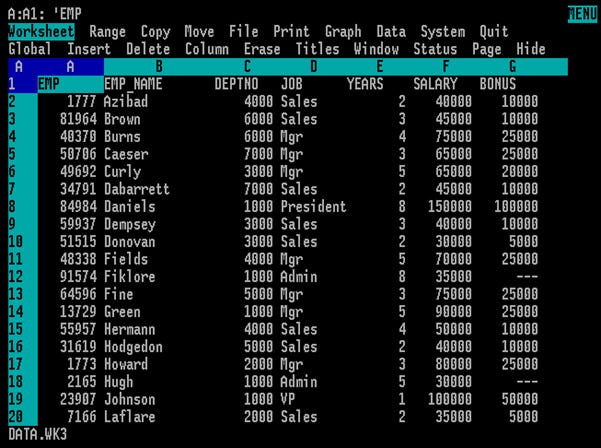
I started using VisiCalc https://en.wikipedia.org/wiki/VisiCalc on an IBM PC in the mid-1980s at Lehigh. When I arrived on Wall Street, Lotus 1-2-3 https://en.wikipedia.org/wiki/Lotus_1-2-3 and Lotus Symphony were standard. Since General Electric bought Kidder Peabody, they tried to force everyone to use Computer Associates SuperCalc 5 https://en.wikipedia.org/wiki/SuperCalc due to some sketchy security concern, but people kept surreptitiously using Lotus.
When I started working with a semiconductor analyst Kidder had hired from Prudential Bache who’d insisted on being equipped with Windows PCs, I began using Excel, and became quite adept at it. I often tell my kids, if it weren’t for the electronic spreadsheet, I’d likely be pushing a broom. We’ll all likely eventually forget how to use Word and other “desktop publishing” applications, but nearly half a century later, Excel remains a “killer app”.
I believe I might have inadvertently invented the industry standard of having financial statements run left-to-right, Q1-Q4 then year, percentage q-q and y-y and percentage of revenues tucked directly under the numbers, and landscape. Before that, the time order was reversed, and percentage comparisons were usually on an entirely separate page.
I believe that spreadsheets are indispensable for household purposes, especially as they outlive specialized software packages. I still actively have some spreadsheets I started 35 years ago and have been using continuously ever since. I recently used Anthropic Claude to refresh myself on some advanced skills, and saved myself a bunch of tax prep expense
.
Here’s a quick summary in alphabetical order. I’d be pleased to share any of the templates with you if you’d like.
Auto Service – This has saved me thousands of currency units and maintenance headaches. I keep a chronological record from date of purchase through disposal/trade-in of the vehicle with a running total. Now that most of my vehicles are off warranty, I use it to track mileage since last service, milage since last tire change, next TÜV date, and as a handy place to keep VIN, HSN, TSN, etc., plus oil grades, tire dimensions, etc.
Barometers – I have written about my barometer collection previously https://gunnarmiller.substack.com/p/stormy-fair-and-everywhere , and this is one I’ve really enjoyed updating as I add to my collection. In fact, spreadsheets are great ways to keep track of all collectables; I also have Cigars, Flies and Spin Lures, Munitions, and other specialized spreadsheets such that I don’t forget things. OneDrive mobile access has made these really useful when out and about.
Equipment – Similar to Autos, but expanded to electronics, white goods, garden power equipment, etc.. This should include model and serial numbers, as well as links to manual PDFs that allow you to recycle the paper ones and reduce clutter.
Estate – This is likely the most important one. It includes a cover sheet with key passwords one prints out in case you blow a pipe and leave ones heirs and assigns to sort everything out. It should then list assets, liabilities, pensions, etc. in summary fashion with contact emails and telephone numbers.
Frequencies – A handy reference guide to radio frequency and band allocations.
Home Improvements – Tracks receipts, materials, and vendors for major household projects. Comes in really handy at tax time.
Insurance – Track home and auto insurance in one place. Useful to track increases and decreases over time. This is also a greaplace to park policy numbers and agent contact information. I also have a tab for annual car registration tax.
Investment diary – I have used intuit Quicken since 1993, but I still keep a separate chronological spreadsheet, including stocks and funds I didn’t buy or sell and why. One “pro tip”: If you use a licensed version of Microsoft 365, you can also use STOCKHISTORY(X***:****) to pull in Thompson Reuters Refinitiv quotes, and set up two pulls from a ticker column and date column =INDEX(STOCKHISTORY(C5;G5;G5;0);2;2) and it’ll automate pricing. If you leave the output cell “General”, it will even put in the correct currency symbol. If you use some date math =DATEDIF(E5;G5;”M”)/12 to calculate how long you’ve held the investment, you can also calculate CAGR using =(H5/F5)^(1/J5)-1 .
Land Rover Contacts – I keep a database of people and vehicles, including an analysis of all the trucks in the same Royal Air Force contract as the 1953 Series 1 80” I drive https://gunnarmiller.substack.com/p/looking-after-the-elderly :
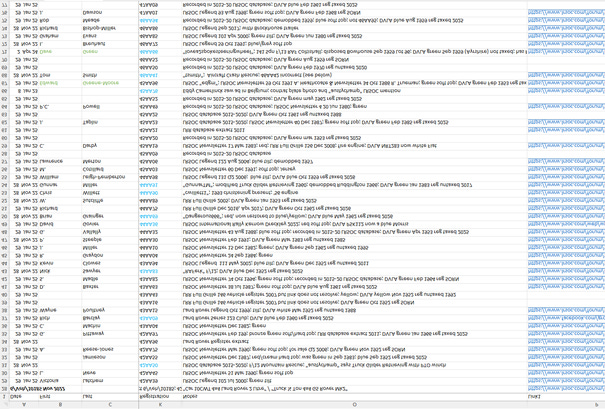
Quotations – My oldest spreadsheet. When I head a good quote, I enter it for later use. I’m now up to 480 lines:
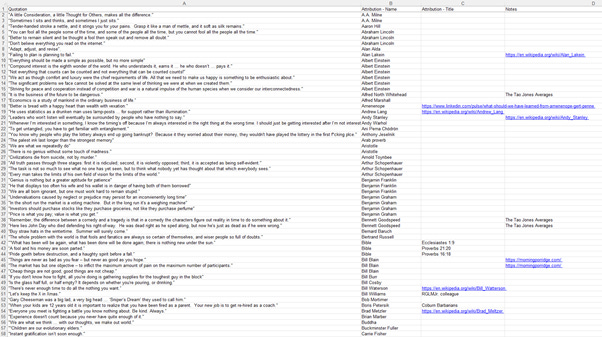
Subscriptions – Track all those media and software, memberships, charitable donations, licenses and permits. It’s eye-opening, especially to annualize monthlies, and the other way ‘round. Once a time series forms, it also shows how we’re slowly being squeezed:

Taxes – I use a big organizational spreadsheet to double-check as I enter things into my accountants’ organizers.
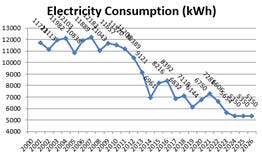
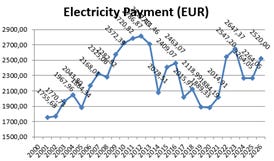
Utilities – Each year I record gas, water, and electric usage and payments from the annual statements. This has proven very useful to protect against the capriciousness of human memory:
Writing Prompts – I use this to jot down article ideas, then I paste in the Substack (and Facebook and LinkedIn) URLs and grey them out ... as I’ll now do with this topic.
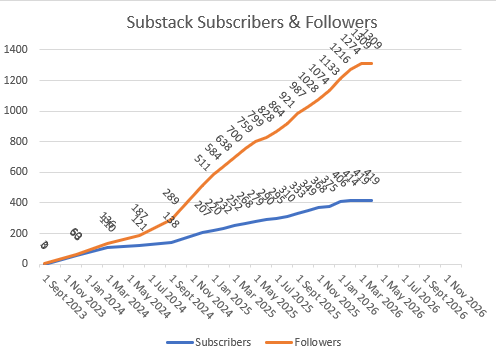
P.S. I also track Substack subscribers and followers, which is sort of depressing: